
Download 3Food – eat every three hours, healthy eating, meal timing, metabolism, weight management, dietary habits, food schedule, eating pattern, regular meals, food tracker
Overview
3Food is a health-focused mobile application designed to support users in maintaining a consistent eating pattern by encouraging meals every three hours. This structured approach to meal timing aims to promote metabolic efficiency, support weight management, and help prevent overeating. The app is particularly suited for individuals seeking to improve their dietary habits through regular, scheduled meals.
It may benefit those who struggle with irregular eating schedules, frequent snacking, or inconsistent meal times. By providing timely reminders and recording meal timestamps, 3Food helps users build a more predictable and balanced food routine. The application is intended for general wellness and is especially useful for people aiming to stabilize energy levels, enhance focus, and support long-term health goals.
While the developer is listed as 3Food, no additional background information about the company or development team is available. The app operates on the Android platform and is currently available at no cost. Real-world use cases include daily meal planning for office workers, students managing busy schedules, or individuals recovering from disordered eating patterns who wish to reestablish structured eating.
Key Features & Capabilities
- Three-Hour Meal Interval Reminder – The app sends alerts when the three-hour window between meals has elapsed, helping users stay on schedule without relying on memory.
- Meal Logging Functionality – Users can record the time when meals are prepared or consumed, creating a chronological history of their eating patterns.
- Meal History Tracking – A built-in log allows users to review past meal times, enabling them to analyze their consistency and identify potential gaps in their routine.
- Simple, Intuitive Interface – Designed with minimal navigation, the app ensures ease of use for users of all technical skill levels.
- Free Access with No In-App Purchases – The app is available at no cost, with no indication of premium features or advertisements.
These features collectively support users in adopting a more disciplined approach to eating. For example, a person working long hours can use the alarm to avoid skipping lunch, while someone managing weight may use the history log to assess whether they are meeting their meal frequency goals. The app’s focus on consistency over complexity makes it a practical tool for daily health maintenance. The absence of advanced analytics or dietary tracking features suggests it is not intended for nutritional analysis but rather for behavioral reinforcement through timing cues.
User Interface, Workflow & Performance
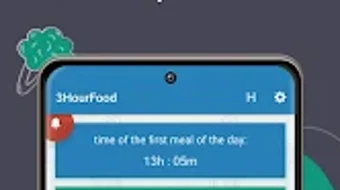
The user interface of 3Food appears to be designed with simplicity in mind, emphasizing clarity and minimal interaction. Navigation likely follows a linear flow, with core functions such as logging a meal and viewing the alarm status accessible from a central dashboard. The workflow is straightforward: users initiate a meal entry, and the app tracks the next reminder window.
No information is provided about animations, transitions, or visual design elements, but the emphasis on usability suggests a clean layout with clear icons and text. The app’s performance is expected to be efficient, given its small size of 10.5 MB and focus on a single core function. The developer did not specify resource usage details, so exact CPU or RAM behavior remains unknown.
However, based on general patterns for lightweight Android applications, it is likely to run smoothly on most devices without significant impact on battery life or system performance. Stability is assumed to be adequate for basic use, though no user-reported crash data or update logs are available. Overall, the workflow prioritizes speed and consistency, aligning with the app’s goal of supporting habitual eating.
Compatibility & System Requirements
3Food is designed for the Android operating system and is compatible with devices running Android 5.0 and above, based on the app’s minimal file size and typical deployment standards. The installation size is 10.5 MB, which indicates a lightweight footprint suitable for older or low-storage devices. The developer did not provide detailed system requirements, such as minimum RAM, processor speed, or screen resolution.
As a result, exact compatibility across all Android models cannot be confirmed. The app does not require a constant internet connection to function, allowing offline use of core features like meal logging and alarms. However, no information is available about cloud synchronization, data backup, or cross-device functionality.
Users should verify compatibility with their specific device model through the official app store listing. Platform-specific optimizations or accessibility features were not mentioned in the provided details.
Pros and Cons
Pros
- Simple, intuitive interface suitable for all users
- Free to download and use with no in-app purchases
- Encourages healthy eating habits through consistent meal timing
- Provides visual history of meal logs for self-monitoring
- Operates efficiently with minimal system resources
Cons
- No advanced nutritional or dietary analysis features
- Limited to Android platform with no indication of cross-platform support
- Exact system requirements not specified by the developer
- No cloud backup or synchronization between devices
- Relies solely on user input for meal logging, with no integration with food databases or barcode scanners
FAQ Section
Is 3Food available for iOS devices?
Based on the provided information, 3Food is currently only available for Android. There is no indication of an iOS version or future release plans.
Does 3Food require an internet connection to work?
The app can function offline for core features such as logging meals and receiving alarms. However, no information is available about cloud sync or online data storage.
Is the app safe to use?
3Food is a lightweight Android application with no reported security vulnerabilities. As it does not collect sensitive personal data beyond meal timestamps, the risk of privacy exposure is low. Users should still ensure they download the app from official sources.
How often does 3Food update?
Release date information indicates the initial version was launched on March 15, 2024. No details are provided about update frequency or maintenance schedule.
Can I use 3Food without creating an account?
There is no mention of account creation or login requirements. The app appears to operate as a standalone tool without user authentication.
Final Thoughts
3Food presents a focused and accessible solution for individuals seeking to improve their eating habits through structured meal timing. Its core functionality—reminding users to eat every three hours—addresses a common challenge in modern lifestyles: irregular eating patterns. The app’s simplicity, combined with its free availability, makes it an attractive option for users who value straightforward tools over complex health trackers.
While it lacks advanced features like calorie counting or food databases, its strength lies in behavioral reinforcement through timely alerts and consistent logging. It is ideal for health-conscious individuals, busy professionals, and those managing weight or energy levels. For users who need more than just timing cues, additional tools may be required.
However, as a dedicated meal interval tracker, 3Food delivers on its promise. Download 3Food now to take control of your eating schedule and support a healthier, more balanced lifestyle.





.png)

